 KeyProcess Automation Services
Answers
Small business automation questions, answered in plain English
Tired of retyping the same details, chasing the same people, or building the same report every week? Here are straight answers to the questions business owners ask most: what automation is, what you can hand off, what it costs, and where to start. No jargon, and no sales pitch until the end.
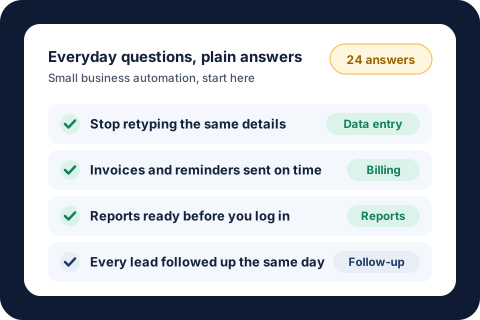
The short answer: small business automation means the repetitive parts of your week, like data entry, invoices, reminders, follow-ups, and reports, run on their own while your team reviews and approves. If a task happens often and follows the same steps each time, it can usually be automated.
The basics
What automation is, in everyday words.
What is business automation?
Business automation means getting the repetitive parts of your work to happen on their own. Instead of a person copying details, sending the same reminder, or building the same report every week, the work runs automatically and your team only steps in to review, approve, or handle the exceptions. It works for any size of business, whether your team is 3 people or 300.
What is business process automation?
Business process automation (often shortened to BPA) means automating a whole process from start to finish, not just one click. For example, when a lease is approved, the approval letter, payment summary, and ready-to-sign lease are all prepared without anyone retyping a thing. In one real case, that cut each lease from 1.5 to 2 hours down to 5 to 10 minutes.
What is workflow automation?
A workflow is the chain of steps work moves through: a request comes in, someone checks it, someone approves it, and someone is told it is done. Workflow automation moves the work from step to step on its own, sends it to the right person, and reminds people when something is waiting on them. People still make the decisions; the automation does the handing off and the chasing.
Is automation the same as AI?
No. Regular automation follows the rules you set, exactly the same way every time, which is what you want for amounts, dates, and approvals. AI is useful for steps that need reading or writing, like drafting a reply or pulling the details out of a messy email. Many good automations use no AI at all. Our AI automation page explains when it helps.
Do I need to be good with technology to use automation?
No. You need to know how the work is done today, and you already do. A good automation partner asks how your week really goes, builds around the tools you already use, and hands you something that just runs. Your team keeps working the way it always has, minus the busywork.
What can I automate?
The everyday jobs owners ask about most.
What tasks in a small business can be automated?
Any task that happens often and follows the same steps each time. The most common are data entry, invoices and payment reminders, follow-ups with leads and customers, appointment and deadline reminders, client onboarding paperwork, weekly reports, and social media posts. Our list of 15 small business processes to automate covers each one, with a scorecard to pick where to start.
How do I stop doing data entry by hand?
Most data entry is copying the same details from one place to another: an email into a spreadsheet, a form into your customer list, or an invoice into your books. An automation can pick up those details the moment they arrive and put them where they belong, then flag anything that looks off for a person to check. Start with the one copy-and-paste job your team does most often.
How do I automate repetitive tasks?
Write down every task your team repeats in a normal week, how long each takes, and how often it happens. Pick the one with the biggest total time that follows the same steps every time. Automate that one first, measure the hours it gives back, and then move to the next. One task done well beats ten half-finished.
How do I automate invoices and payment reminders?
Invoices can go out the moment a job is finished or on a set date, and reminders can follow on a schedule (before the due date, on it, and after) until the invoice is paid, with the tone getting firmer each time. Payments get logged as they come in, so nobody chases someone who already paid. Our guide to automated payment reminders has the schedule and wording that work.
How do I automate weekly reports?
If someone on your team spends Monday morning pulling numbers together, that report can build itself. The numbers are gathered from where they already live, put into the same layout every time, and sent to the right people before the week starts. You get the same report on time, every time, and the person who used to build it gets their morning back.
How do I automate follow-ups with leads and customers?
Set the rule once: who gets followed up, when, and what they hear. After that, every new lead gets a reply right away, quotes get a nudge a few days later, and stalled jobs get a status request on a schedule. In one real case, every vendor with a job open two weeks or more gets a personal check-in every Monday, which saves about 8 hours a month.
How do I automate client onboarding?
When a new client says yes, the welcome email, paperwork, intake form, and first-week reminders can all go out on their own, in the right order. Their answers land in your records without retyping, and your team gets a heads-up only when something is missing. New clients get a smooth, fast start, and nothing depends on someone remembering a checklist.
Can I automate customer service without sounding like a robot?
Yes, if you automate the busywork and keep the conversation human. Requests can be sorted and sent to the right person, common questions can get a draft answer in your voice for a person to approve, and customers can get automatic updates so they don't have to ask "where is my order?" You decide which replies go out on their own and which a person checks first.
How do I know if a task is worth automating?
Ask four questions: How often does it happen? How long does it take each time? Is it the same steps every time? What does it cost when it gets missed or done wrong? A task that happens every week, takes real time, follows the same steps, and hurts when it slips is a strong candidate. Our savings calculator shows what that time costs you each year.
Cost, time, and payback
Straight answers on price and how fast it pays off.
How much does automation cost for a small business?
At KeyProcess Automation Services, a single automated process starts at $1,000, a package of 3 to 5 connected automations starts at $3,000, and the optional Automation Care plan starts at $500 a month. Every project starts with a free audit and a fixed quote, so there are no surprises. Our automation pricing guide explains what drives the cost up or down.
How long does it take to automate a process?
Most single-process projects go live within a few weeks, and the time savings start the first day they run. Bigger packages take longer because each piece is tested with your real work before it goes live. You'll know the timeline before you agree to anything.
How much time can automation save?
It depends on how often the task happens and how long it takes. Two real examples: lease paperwork went from 1.5 to 2 hours down to 5 to 10 minutes each, saving about 55 workdays a year, and weekly vendor follow-ups now save about 8 hours a month. Our guide on how to calculate automation ROI walks through the math for your own tasks.
Is automation cheaper than hiring someone?
For repeatable work like data entry, follow-ups, and weekly reports, usually yes. A full-time administrative assistant costs about $69,000 a year once taxes and benefits are added, while a package of 3 to 5 automations starts at $3,000 plus $500 a month for Automation Care. Work that needs judgment or relationships still needs a person. Our guide to the true cost of hiring an employee shows how to compare the two.
Do I have to buy new software or switch systems?
Usually not. Automations are built around the software and email you already use, so nobody has to learn a new system. If a small add-on would genuinely help, you'll hear about it and its cost up front, before any work starts.
Getting help
Doing it yourself, hiring help, and what happens after.
Should I automate it myself or hire someone?
If the task is simple and you enjoy tinkering, try it yourself. Hire help when the process touches money, customers, or several systems, when a mistake would be costly, or when your time is worth more running the business. A good partner also keeps things working after launch, which is where many do-it-yourself automations quietly break.
What does an automation consultant do?
An automation consultant finds the work worth automating, builds it, tests it, and keeps it running. You should get a written plan, a fixed quote, automations built in your own accounts, and support when something changes. Our guide to what an automation consultant does lists the questions to ask before you hire one.
What happens if an automation breaks?
Things change: a form gets a new field, or a website updates its layout. With an Automation Care plan, your automations are monitored, fixed quickly, and improved as your business grows. Every project also comes with a guarantee: if it doesn't save your team time in the first 30 days, we fix it free until it does.
Is my data safe?
Automations are built in your own accounts, so your data stays yours. Each automation only touches the information it needs, and sensitive details, like payment information, can be kept out entirely. You can see what each automation does and turn it off at any time.
Will automation replace my employees?
For most small businesses, no. Automation takes over the copy-and-paste, the reminders, and the report building, so the people you already have can spend their time on customers, sales, and the work only they can do. It is often how a small team handles more work without hiring.
Where do I start?
Start with the one task your team complains about most, or the one that eats the most hours each week. A free automation audit is the fastest way to find it: in 30 minutes you get a written list of what to automate first, the hours each could give back, and a fixed quote, whether you hire us or not. Our guide to what a good automation audit includes shows how to run your own.
Who writes these answers: Tyler, founder of KeyProcess Automation Services, has built dozens of automations for businesses in property management, e-commerce, and more. See the real results.
Keep exploring
15 processes to automate
Where small businesses usually start, with a scorecard.
Read the guide →Watch one run
A live demo of everyday automations doing their jobs.
Try the demo →Savings calculator
See what your team's repetitive work costs you each year.
Try it →By industry: property management, e-commerce, and home services.
Have a question that isn't here?
Book a free 30-minute audit and ask it. You'll leave with a written list of what to automate first and what it could save you, whether you hire us or not.
Request your free auditOr email tyler@keyprocessautomation.com